
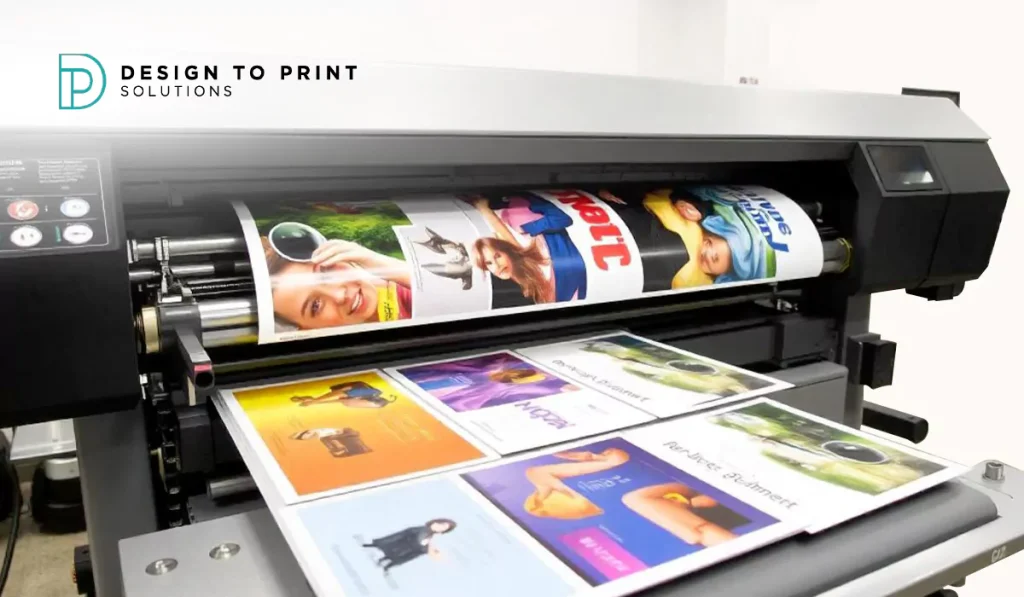
Small businesses rarely order print by the pallet. You need a few hundred flyers before the weekend, a menu reprint because one price changed, or cards for a new hire who starts Monday. Jobs like these suit digital printing well. Not every job does, and knowing the difference saves you money and time.
This guide is about the decision, not the definition. It covers when digital is the right choice, when offset earns its place, what actually moves the cost on a small run, and the mistakes that catch small businesses out. If you want the mechanics of how the process works first, read how digital printing works.
When digital printing is the right call
Digital fits the way most small businesses actually buy print.
- Short and mid runs. As a rough guide, digital is the more economical option up to around 500 copies. Below that number you are not paying for the plate setup that offset needs, so the price per copy stays reasonable even for a small order.
- Tight deadlines. There are no printing plates to prepare, so a print-ready file can go straight to press. That is why small urgent jobs turn around quickly on digital.
- Details that change. Menus, price lists and staff rosters get updated often. Reprinting a small batch when something changes costs far less than ordering a year’s worth and binning half of it when the prices move.
- Variable data. Anything that changes copy to copy, such as numbered raffle tickets, loyalty cards or personalised mailers, is straightforward to run digitally in a single job.
- Testing an idea. Print fifty of a new flyer, see whether it brings customers in, then reorder the version that works. Digital makes that kind of low-risk trial affordable.
Here is a simple way to picture the cost logic. Imagine two quotes for the same A5 flyer. At 200 copies, digital wins comfortably, because offset would charge you for setup you barely use. At 5,000 copies, the maths flips, and offset’s cheaper per-copy rate outweighs its setup cost. Most small-business orders sit at the first end of that scale, which is why digital suits them.
When to consider offset instead
Offset is the older plate-based method, and it still wins in a few situations.
- High volumes. Once you are ordering in the thousands, offset’s cost per unit usually drops below digital. The plate setup gets cheaper the more copies you spread it across.
- Specific stocks or finishes. Unusual paper weights, metallic inks or specialty coatings are often better suited to offset.
- Exact colour across a big run. For strict brand colour matching over thousands of copies, offset gives tighter consistency from the first sheet to the last.
None of that rules digital out for a growing business. It just means the answer changes as your volumes climb. If you are weighing the two directly, this digital vs offset printing comparison breaks down cost and quality side by side.
The print jobs small businesses order most
Most day-to-day small-business print falls into a handful of jobs, and nearly all of them suit digital:
- Menus for cafes, restaurants and bars, where prices and seasonal specials change through the year. See menu printing.
- Flyers for local promotions, openings and letterbox drops. See flyer printing.
- Posters for shop windows, community boards and events. See poster printing.
- Business cards for new staff or a quick restock before a networking event. See business card printing.
- Short-run rebrands, where you refresh a logo or colours and need everything reprinted in modest quantities without committing to years of stock.
How this plays out in real businesses
The theory is easier to trust with examples.
A cafe owner reprints menus four times a year. Prices shift, a supplier changes, a seasonal dish comes and goes. Ordering 60 laminated menus at a time on digital costs little and keeps the board current. A bulk offset run would be cheaper per copy, but most of it would be out of date before it was used.
A trades business needs 250 flyers for a local letterbox drop promoting a winter service special. The run is small, the deadline is a fortnight, and the offer will change next season. Digital handles it in a short turnaround, and the tradie reorders a tweaked version once they see which suburbs respond.
A boutique refreshes its logo and needs cards, swing tags and a window poster in matching colours, in small quantities, before a weekend launch. Digital covers all three quickly, and the shop can reorder any item on its own as stock runs low, rather than guessing the year’s numbers upfront.
Turnaround and reordering keep cash in the business
Digital lets you print what the next month needs rather than a year of stock upfront, and for a small business that matters more than it first sounds. Five thousand flyers sitting in a cupboard is money you have already spent, and half of them may be out of date before you use them.
Ordering a few hundred at a time keeps that cash working in the business instead of tied up in paper. Reprinting is quick when a phone number, price or offer changes, so you are never stuck choosing between wasting old stock and paying for a fresh run. That flexibility is one of the practical reasons small businesses lean on digital for their regular jobs.
What drives the cost of a small run
A few things decide what a job costs. Knowing them helps you brief a printer clearly and keep the quote sensible.
| Factor | Effect on price |
|---|---|
| Quantity | The single biggest lever. Per-unit cost falls as the run grows. |
| Size | Larger formats use more material and cost more per copy. |
| Paper stock | Heavier and coated stocks cost more than standard weights. |
| Finishing | Lamination, folding, rounded corners and die-cutting each add a step. |
| Artwork | Print-ready files keep costs down. Fixing supplied artwork adds time. |
| Turnaround | Standard timelines are cheaper than rush jobs. |
Quantity and finishing are where small orders most often creep up in price. A modest flyer run is cheap until you add lamination and folding to every copy. That is worth knowing before you approve a quote, so you can decide which finishes genuinely earn their place.
How to keep your print quote sensible
A little preparation keeps costs down and avoids back-and-forth with the printer.
- Send print-ready artwork. Files set up correctly, with the right size, bleed and colour mode, go straight to press. Artwork that needs fixing adds time and cost.
- Order to a realistic quantity. Buying slightly more than you need for one campaign can lower the per-copy price, but only if you will actually use it before the details change.
- Plan around your deadline. Rush jobs cost more. If you know a launch or event is coming, a few days of lead time keeps you on standard pricing.
- Ask what finishing adds. Get the quote with and without lamination or folding so you can see what each option costs before committing.
Common print-order mistakes small businesses make
- Over-ordering to chase a lower unit price. A cheaper per-copy rate is no saving if you throw half the run away when a price or number changes.
- Leaving artwork to the last minute. A rushed file is where most reprints and delays come from.
- Skipping a proof. A quick check of a proof catches typos and colour surprises before they are printed hundreds of times.
- Choosing stock by price alone. The cheapest paper can undercut how your brand looks and feels in a customer’s hand.
Frequently asked questions
Is digital printing cheaper for small quantities?
Usually, yes. Digital has almost no setup cost, so for short runs, roughly up to 500 copies as a general benchmark, it tends to work out cheaper than offset. Above that, the gap narrows and offset can become the better value.
What is the minimum order for digital printing?
It depends on the printer. Some set a minimum, others do not, which suits small businesses that only need a handful of a given item. Check before you order if you want a very small quantity.
How fast is digital printing?
Because there are no plates to make, digital jobs move quickly once the artwork is print-ready. Simple jobs can be printed in a short turnaround, though finishing steps like lamination or folding add time.
Should I use digital or offset for 200 flyers?
Digital, in almost every case. At 200 copies you are well under the point where offset’s setup cost pays off, and you get the faster turnaround as a bonus.
Can I reorder the same job later?
Yes. Digital files are easy to store and rerun, so reordering the same flyer or card is quick. It also makes small edits, such as a new price or phone number, simple between runs.
Does digital printing quality match offset?
For most everyday business print, the difference is hard to spot. Offset holds an edge on very large runs and specific spot colours, but for flyers, menus, cards and posters in small quantities, digital quality is more than good enough.
How should I supply my files?
A high-resolution PDF set to the correct size, with bleed and in CMYK colour, is the safest format. If you are unsure, ask the printer for their file guidelines before you send anything.
Get a quote for your next print job
If you run a small business and want print that suits short runs and quick turnarounds, DTPS can help you pick the right method and stock for the job. Get a quote and tell us what you need.
