
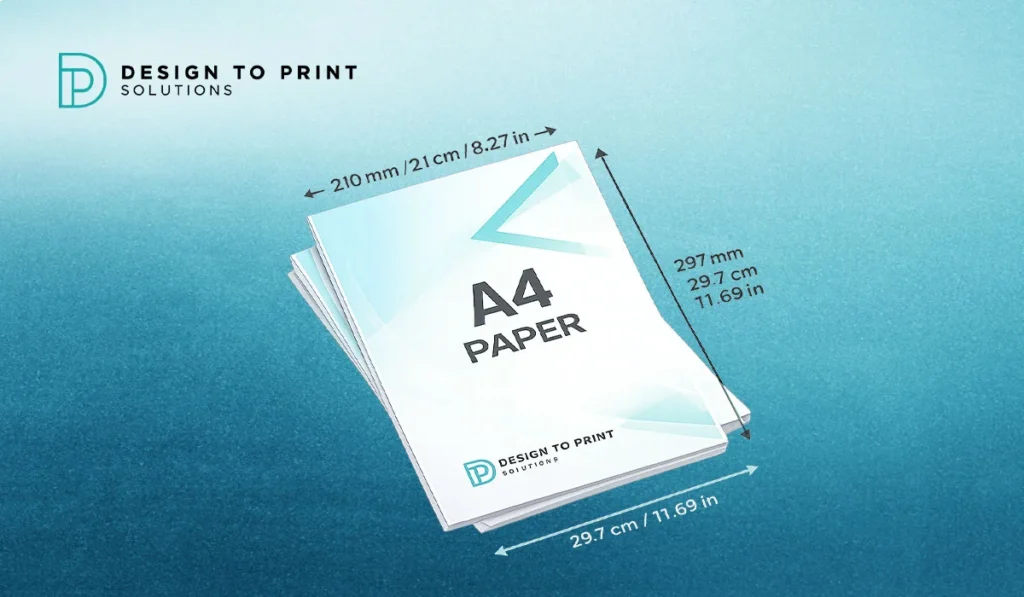
If you have ever set up a document, ordered flyers or exported a file for print, you have used A4 paper size without giving its exact measurements a second thought. A4 is the everyday standard across Australia, yet the moment you need precise dimensions in centimetres, millimetres or inches, those numbers start to matter. Get them wrong and you end up with blurry prints, white edges after trimming, or artwork that does not sit right on the page. This guide sets out A4 paper size in every unit you need, explains where the measurements come from, and shows you how to prepare an A4 file that prints cleanly the first time.
What is A4 paper size?
A4 paper measures 210 x 297 millimetres, which is 21.0 x 29.7 centimetres or 8.27 x 11.69 inches. It is the standard document and letter size across Australia, part of the international ISO 216 A series, and the most widely used paper size for home, office and commercial printing. Almost every printer, ream of copy paper and word processor template defaults to A4.
A4 paper size in mm, cm and inches
Here are the exact A4 dimensions in the three units people ask for most:
| Unit | Width | Height |
| Millimetres (mm) | 210 mm | 297 mm |
| Centimetres (cm) | 21.0 cm | 29.7 cm |
| Inches (in) | 8.27 in | 11.69 in |
The inch figures are rounded to two decimal places. The precise conversion is 8.2677 x 11.6929 inches, since one inch equals 25.4 millimetres. For most print jobs the rounded values are fine, but if you are working to the millimetre on a tight layout, design in mm rather than inches to avoid small rounding gaps.
Where A4 sizing comes from: the ISO 216 A series
A4 is not a random size. It belongs to the ISO 216 standard, the international system that governs A and B series paper across Australia, Europe, Asia and most of the world. Two design rules make the system work.
First, every A size shares the same aspect ratio of 1 to the square root of 2, roughly 1:1.414. Because of that ratio, when you fold or cut a sheet in half along its longer edge, the two smaller sheets keep the exact same proportions as the original. That is why an A4 page scaled down to A5 loses nothing in shape, and why enlarging A4 artwork to A3 does not distort it.
Second, the sizes are defined by halving. A4 is half of A3, A3 is half of A2, and so on up the scale. The largest size, A0, sits at the top with an area of exactly one square metre. This clean relationship is the reason A4 is so practical for print: booklets, folded brochures and scaled documents all nest together without awkward resizing.
The full A series paper size chart
| Size | Millimetres | Centimetres | Inches |
| A0 | 841 x 1189 | 84.1 x 118.9 | 33.11 x 46.81 |
| A1 | 594 x 841 | 59.4 x 84.1 | 23.39 x 33.11 |
| A2 | 420 x 594 | 42.0 x 59.4 | 16.54 x 23.39 |
| A3 | 297 x 420 | 29.7 x 42.0 | 11.69 x 16.54 |
| A4 | 210 x 297 | 21.0 x 29.7 | 8.27 x 11.69 |
| A5 | 148 x 210 | 14.8 x 21.0 | 5.83 x 8.27 |
| A6 | 105 x 148 | 10.5 x 14.8 | 4.13 x 5.83 |
Notice how A4’s height (297 mm) becomes A3’s width, and A4’s width (210 mm) becomes A5’s height. That is the halving system at work. If your project spans several formats, our full paper size guide breaks down every A size and what each one is typically used for.
A4 paper size in pixels
Pixel dimensions depend on resolution, measured in dots per inch (DPI). The higher the DPI, the more pixels the same physical A4 page contains, and the sharper it prints. Here are the standard values:
| Resolution | Pixels (W x H) | Best used for |
| 72 DPI | 595 x 842 | On-screen viewing only |
| 150 DPI | 1240 x 1754 | Draft or internal prints |
| 300 DPI | 2480 x 3508 | Professional commercial print |
| 600 DPI | 4960 x 7016 | Fine detail and large artwork |
For anything heading to a commercial printer, set your file to 300 DPI. Files built at 72 DPI look fine on a monitor but turn soft and pixelated once printed, which is one of the most common reasons a proof comes back looking wrong.
A4 vs US Letter: why the difference matters
Australia uses A4, but the United States and Canada use US Letter as their standard. The two sizes are close enough to cause trouble but not close enough to swap.
| Size | Millimetres | Inches |
| A4 | 210 x 297 | 8.27 x 11.69 |
| US Letter | 216 x 279 | 8.5 x 11 |
A4 is about 6 mm narrower and 18 mm taller than the US Letter. If you download a template from an American website, or a client sends artwork built to Letter, your content can shift, crop or leave uneven margins when printed on Australian A4 stock. Always confirm the page size before you send a file to press, especially with imported templates and overseas suppliers.
How to set up an A4 file for print
Screen and print are not the same, and a document that looks perfect on your laptop can still fail at the printer. A few habits keep your A4 artwork clean:
- Add bleed. Extend any background colour or image 3 mm past each edge, so your A4 page is built to 216 x 303 mm. Bleed stops thin white slivers appearing when the sheet is trimmed to size.
- Keep a safe margin. Hold important text, logos and details at least 5 mm inside the trim edge, so nothing gets cut off during finishing.
- Work in CMYK, not RGB. Print uses CMYK inks. Files built in RGB can shift in colour once printed, with blues and greens the worst offenders.
- Use 300 DPI. This is the resolution that keeps text crisp and images sharp on paper.
- Choose the right paper weight. GSM (grams per square metre) controls thickness. Around 80 gsm suits everyday copy paper, 100 to 120 gsm gives A4 letterheads a quality feel, and flyers usually sit at 150 gsm and above.
A4 also folds neatly for marketing pieces. An A4 sheet folded into three equal panels becomes a DL brochure (99 x 210 mm), the standard size that fits a business envelope, which is why so much folded brochure printing starts life as an A4 sheet. A4 is equally the base size for A4 label sheets used across offices and warehouses.
Common mistakes when working with A4
- Exporting at 72 DPI, then wondering why the print looks fuzzy.
- Forgetting bleed, which leaves white edges after trimming.
- Designing in RGB and losing colour accuracy on press.
- Confusing A4 with US Letter when using imported templates.
- Placing text too close to the edge, so it gets cut during finishing.
- Scaling A4 artwork up to A3 at low resolution, which magnifies every flaw.
Quick tips for working with A4
Build your document in millimetres for accuracy, save a print-ready PDF rather than sending native design files, and check the page size in your export settings before you hit send. If you are ordering print and are unsure whether your file is set up correctly, ask your printer to check it first. A two minute file review saves a reprint.
Ready to print your A4 documents?
Need A4 documents, letterheads or flyers printed properly in Melbourne? Send your artwork to the team at Design to Print Solutions for a fast quote, and we will check your file is set up at the right size, resolution and bleed before it goes to press.
Frequently asked questions:
What is the size of A4 paper in cm?
A4 paper is 21.0 x 29.7 centimetres. That is 210 x 297 millimetres, or 8.27 x 11.69 inches. It is the standard page size for documents, letters and everyday printing across Australia.
How many inches is A4 paper?
A4 paper measures 8.27 x 11.69 inches. The exact conversion is 8.2677 x 11.6929 inches, based on 210 x 297 millimetres, since one inch equals 25.4 millimetres. Most layouts round this to 8.27 x 11.69 inches.
Is A4 the same as a US Letter?
No. A4 is 210 x 297 mm, while US Letter is 216 x 279 mm. A4 is narrower and taller. They are close in size but not interchangeable, so templates built for one can shift or crop when printed on the other.
What is the difference between A4 and A3?
A3 is exactly double the area of A4. A3 measures 297 x 420 mm, and folding an A3 sheet in half gives you two A4 pages. Both sizes share the same 1:1.414 proportions, so artwork scales between them without distortion. You can compare all the sizes in our A-series paper size chart.
What size is A4 in pixels for printing?
For professional print at 300 DPI, A4 is 2480 x 3508 pixels. At 72 DPI it is 595 x 842 pixels, which suits screen viewing only. Always use 300 DPI for anything sent to a commercial printer so the result stays sharp.
What GSM is best for A4 printing?
Around 80 gsm suits everyday copy paper, 100 to 120 gsm gives letterheads a premium feel, and flyers usually start at 150 gsm. Heavier stocks like 250 to 350 gsm suit business cards and covers. The right weight depends on how the piece will be used.
Can an A4 sheet be folded into a brochure?
Yes. An A4 sheet folded into three equal panels becomes a DL brochure at 99 x 210 mm, which fits a standard business envelope. A4 folded in half instead creates an A5 booklet page, making it a flexible base size for print marketing.
Is A4 the standard paper size in Australia?
Yes. Australia follows the international ISO 216 standard, so A4 is the default for documents, letters, printers and copy paper. US Letter is standard in North America, but it is rarely used here.
