
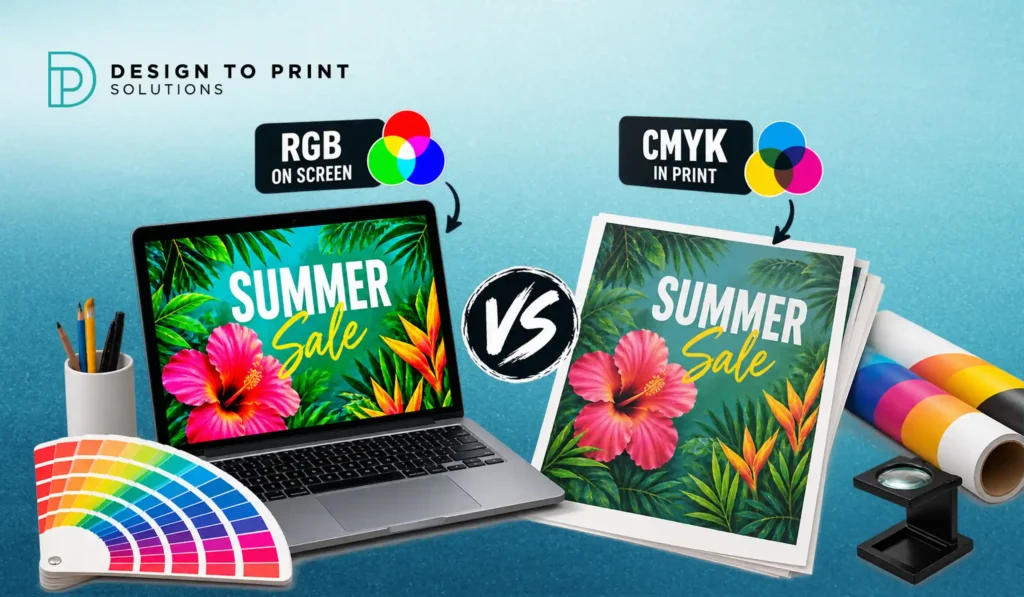
The CMYK vs RGB question usually arrives at the worst possible moment: the job is printed, the box is open, and the brand blue that glowed on screen has come back looking flat and slightly purple. Nothing has gone wrong at the press. The file simply asked for a colour that printing cannot physically produce.
This is one of the most common sources of friction between designers, business owners and printers, and it is almost entirely preventable. The two systems create colour in opposite ways, they can reproduce different ranges of colour, and the conversion between them is a translation rather than a copy.
Understanding what happens in that translation lets you design within what is achievable, approve proofs with confidence, and stop being surprised by the box. This guide covers how each system works, which colours shift most, where Pantone fits, how paper stock changes everything, and how to set up files so what you approve is what you receive.
Two Opposite Ways of Making Colour
RGB is additive. Screens produce colour by emitting light. Red, green and blue light are combined in varying intensities, and when all three are at full strength you get white. Your monitor, phone, tablet and camera all work this way. Because the screen generates its own light, colours can be intensely bright and saturated.
CMYK is subtractive. Printing produces colour by laying cyan, magenta, yellow and black ink onto paper and letting ambient light reflect back off it. Each layer of ink absorbs, or subtracts, part of the light. More ink means less light reflected, so more ink makes things darker rather than brighter. With no ink at all, you see the paper.
That difference explains the whole problem in one line: a screen is a light source and a printed sheet is not. A printed page can never glow. It can only reflect the light in the room it is sitting in, which is why the same brochure looks different under warm restaurant lighting and cool office fluorescents.
Gamut: Why Some Colours Simply Cannot Print
Gamut is the range of colours a system can reproduce. RGB has a wider gamut than CMYK, which means there are colours you can see on screen that no amount of ink mixing can produce.
The colours that shift most predictably are:
Vivid blues, which tend to come back more purple. This is the single most common complaint in commercial printing. Electric and royal blues sit well outside the CMYK gamut, and the closest ink mix leans violet.
Bright greens, particularly the fluorescent, screen-glow greens popular in tech and sustainability branding, which print noticeably duller.
Neon and fluorescent anything, including hot pinks and bright oranges. These are produced on screen by light intensity, which ink cannot imitate.
Deep rich blacks. A black set as 100% K alone prints as a flat charcoal grey across large areas, which surprises people who expected the dense black they saw on screen.
Very light tints and pastels, which can band or disappear entirely depending on stock and press.
Colours that convert comfortably include most earth tones, warm reds, navy, burgundy, mid greens and almost anything desaturated. In practice, branding built on muted and natural palettes travels between screen and print far more reliably than branding built on screen-native brights.
What Happens During Conversion
When an RGB file is converted to CMYK for press, every colour outside the printable gamut has to be mapped to the closest achievable equivalent. That mapping is handled by a colour profile, and different profiles produce different results.
The important point for anyone supplying artwork is that the conversion will happen whether you do it or not. If you supply an RGB file, the conversion is made by software at the printer’s end, using default settings, with no chance for you to review the outcome. If you convert during design, you see the shift happening and can adjust the design to compensate while there is still time.
That is the real reason printers ask for CMYK files. It is not a technicality. It is about who gets to decide what the out-of-gamut colours become.
Where Pantone and Spot Colours Fit
Pantone, or spot colour, printing works differently again. Instead of building a colour from four process inks, a spot colour is a pre-mixed ink applied on its own plate. That gives exact, repeatable colour, including many shades CMYK cannot reach, such as true fluorescents, metallics and the specific corporate blues that process printing struggles with.
Spot colours are the right answer when a brand colour must be identical across every print run and every item, when the colour sits outside the CMYK gamut, or when you need a metallic or fluorescent effect. They suit packaging, stationery systems and brand critical applications.
The trade off is flexibility. Spot colour printing suits longer runs and specific presses, while digital printing, which handles most short run commercial work, reproduces colour through process inks. Many brands resolve this by defining both: a Pantone reference as the master, and an approved CMYK breakdown for everyday digital work, so there is a single agreed value rather than a different interpretation on every job.
If you are unsure which applies to your job, our team can advise during quoting based on the product, run length and how colour critical the piece is.
Paper Changes the Colour Too
The same CMYK values print differently on different stocks, and this catches people out more than the RGB conversion does.
Coated gloss stock holds ink on the surface, giving sharp, saturated colour with strong contrast.
Coated matt stock produces slightly softer, less saturated colour than gloss while remaining crisp.
Uncoated stock absorbs ink into the fibre. Colours sit noticeably duller, lighter and warmer, and fine detail spreads very slightly. An uncoated business card printed from the same file as a gloss flyer will genuinely look like a different colour, and both are correct.
Textured and recycled stocks go further again, with surface irregularity and base paper tone shifting the result. A recycled stock with a grey-brown base will mute every colour printed on it.
Paper white matters. A bright white and a natural cream stock will render the same ink values differently, because the base is part of the final colour. Our guide to choosing the best paper GSM for flyers, brochures and business cards covers how weight and finish affect the printed result.
Practical Rules for Getting Closer
Design in CMYK from the start for anything destined for print. Set the document colour mode at the beginning rather than converting at the end, so you never fall in love with a colour that cannot be printed.
Avoid judging colour on an uncalibrated screen. Two monitors in the same office display the same file differently, and phone screens boost saturation deliberately. A screen is a guide to layout, not a colour reference.
Build rich black properly. For large black areas, use a rich black build with cyan, magenta and yellow underneath the black rather than 100% K alone. For small body text, keep it to 100% K only, because registration on fine type with multiple inks causes a fuzzy edge.
Watch total ink coverage. Stacking heavy percentages of all four inks can exceed what the stock can absorb, causing set-off and slow drying. Dark, heavily saturated backgrounds are where this usually happens.
Request a proof for colour critical work. A printed proof on the actual stock is the only reliable preview. A PDF on screen is still a screen.
Define your brand colours in both systems. Document the Pantone reference, the CMYK breakdown and the RGB or hex values for digital, so every supplier works from the same brief instead of guessing.
Accept small variation between runs. Even well controlled process printing carries a small tolerance between runs and between presses. For most commercial work this is invisible, but for colour critical packaging it is worth discussing a spot colour.
Setting Up Files Correctly
Supply print-ready PDFs in CMYK with 3mm bleed on every edge, and keep critical content at least 4mm inside the trim line. Place images at 300dpi at final print size, and make sure the images themselves are CMYK, since RGB photographs embedded inside a CMYK document will still convert at output.
Outline or embed fonts before supplying, and flatten or clearly label transparency effects. Where a job includes spot colours, foil, spot UV or die cutting, set each as a named spot colour layer set to overprint so the finishing areas are unmistakable.
At Design to Print Solutions (DTPS), our team checks every supplied file before production and flags issues such as RGB colour, missing bleed, low resolution images and unoutlined fonts, so colour problems surface at proof stage rather than after the run.
When the Printed Result Still Looks Wrong
If a printed job looks different to what you expected, work through this order before assuming a press fault.
Check whether the file was supplied in RGB. Check whether the stock is coated or uncoated, and compare against the finish you were visualising. Look at the piece in daylight rather than under office lighting. Compare it against a printed proof rather than a screen. Then check whether the brand colour in question is one of the known out-of-gamut colours such as a vivid blue or bright green.
In most cases the answer is in that list, and the fix is a specification change rather than a reprint: adjust the build, switch stock, or move a brand critical colour to a spot ink.
Send through your artwork and we will review the files and colour setup before anything goes to press, and come back with an itemised quote. Request a free quote or browse our printing services and recent work.
Frequently Asked Questions
What is the difference between CMYK and RGB?
RGB is an additive system used by screens, which create colour by emitting red, green and blue light. CMYK is a subtractive system used in printing, where cyan, magenta, yellow and black inks absorb light reflected off paper. Because a screen generates light and paper only reflects it, RGB can display brighter and more saturated colours than ink can reproduce.
Why does my blue logo print purple?
Vivid blues are the most common out-of-gamut colour in commercial printing. Bright royal and electric blues sit outside what cyan, magenta, yellow and black can produce, so the conversion maps them to the closest available mix, which leans violet. The fixes are to select a blue that converts cleanly, adjust the CMYK build manually, or print the colour as a Pantone spot ink.
Should I convert my file to CMYK or let the printer do it?
Convert it yourself during design. The conversion happens either way, but doing it in your own file lets you see the colour shift and adjust while there is still time. If you supply RGB, the conversion is made at output using default settings and you only see the result once it is printed.
Why does the same file look different on uncoated paper?
Uncoated stock absorbs ink into the paper fibre, so colours appear duller, lighter and slightly warmer than on a coated sheet, and fine detail spreads a little. The base paper tone also forms part of the final colour. The same CMYK values printed on gloss, matt, uncoated and recycled stocks will all look different, and all are correct for their material.
Do I need Pantone colours for my brand?
Only if colour consistency is critical. Pantone spot inks are pre-mixed, so they reproduce exactly across runs and can achieve colours outside the CMYK gamut, including metallics and fluorescents. For most short run commercial printing, an agreed CMYK breakdown of the brand colour is sufficient, documented alongside the Pantone reference so every supplier works from the same value.
Why does my print look different to the PDF proof on screen?
A PDF viewed on screen is still displayed in RGB, with the monitor’s own calibration, brightness and colour settings applied. It is useful for checking layout, text and positioning, but not for judging colour. For colour critical work, request a printed proof on the actual stock being used.
