
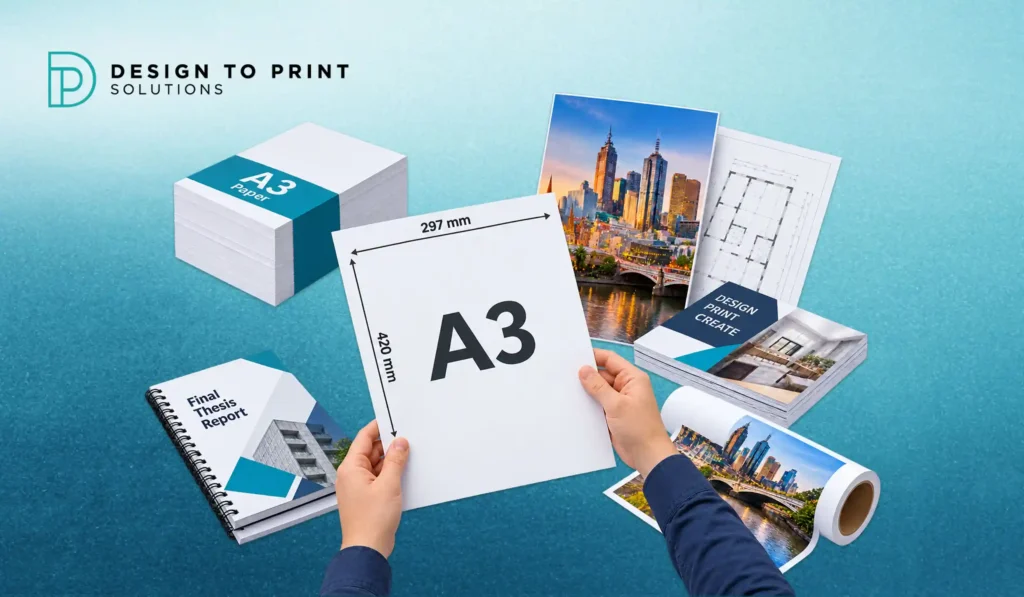
A3 sits in a useful middle ground. It is big enough to grab attention as a poster or menu, yet still small enough to print on a mid-range office machine and slide into a standard frame. That balance is exactly why designers, cafes, schools and offices reach for it so often. If you are working out the precise measurements, or deciding whether A3 is the right size for a job, this guide covers the A3 paper size in every unit you need, how it relates to the sizes around it, and the print jobs it handles best.
What is A3 paper size?
A3 paper measures 297 x 420 millimetres, which is 29.7 x 42.0 centimetres or 11.69 x 16.54 inches. It is exactly twice the size of A4 and half the size of A2, and it belongs to the international ISO 216 A series. A3 is a popular choice for posters, menus, plans, presentations and art prints where A4 feels too small.
A3 paper size in mm, cm and inches
Here are the exact A3 measurements in the three units people look for most:
| Unit | Width | Height |
| Millimetres (mm) | 297 mm | 420 mm |
| Centimetres (cm) | 29.7 cm | 42.0 cm |
| Inches (in) | 11.69 in | 16.54 in |
The inch values are rounded. The precise conversion is 11.6929 x 16.5354 inches, since one inch equals 25.4 millimetres. For accurate layouts, work in millimetres rather than inches so small rounding gaps do not creep in.
How A3 relates to A4 and A2
A3 is easiest to understand through the sizes on either side of it. Place two A4 sheets next to each other along their long edge and you have an A3. Fold an A3 in half and you get two A4 pages. Step up instead, and two A3 sheets make an A2.
This works because every size in the A series shares the same proportions, a ratio of 1 to the square root of 2 (about 1:1.414). Scaling between them never distorts your artwork, which is why an A4 design enlarges cleanly to A3, and why printers can lay out booklet pages across larger sheets without any awkward resizing. For the complete range from A0 down to A6, our full paper size guide lays out every size in one place, and the A4 paper size guide covers the size A3 is built from.
A3 paper size in pixels
Pixel dimensions change with resolution, measured in dots per inch (DPI). Higher DPI packs more pixels into the same A3 page and prints sharper:
| Resolution | Pixels (W x H) | Best used for |
| 72 DPI | 842 x 1191 | On-screen viewing only |
| 150 DPI | 1754 x 2480 | Draft or internal prints |
| 300 DPI | 3508 x 4961 | Professional commercial print |
| 600 DPI | 7016 x 9921 | Fine detail and art prints |
For anything going to a commercial printer, build your A3 file at 300 DPI. A file set at 72 DPI looks fine on a screen but prints soft and pixelated, which is one of the most common reasons an A3 poster disappoints in real life.
A3 vs Tabloid: the international difference
A3 is the standard across Australia, Europe and most of the world, but North America uses a size called Tabloid, or Ledger, instead. The two are close but not the same.
| Size | Millimetres | Inches |
| A3 | 297 x 420 | 11.69 x 16.54 |
| Tabloid (Ledger) | 279 x 432 | 11 x 17 |
A3 is about 18 mm wider and 12 mm shorter than Tabloid. If you download a template from an American source or receive artwork built to Tabloid, expect the layout to shift when it prints on Australian A3 stock. Confirm the page size before you send any file to press.
Best uses for A3 in print
This is where A3 earns its keep. It is the natural size for jobs that need more presence than A4 without moving up to large format.
Posters and signage. A3 is the standard counter poster and noticeboard size, ideal for shop windows, cafe specials, event promotion and community notices. It reads well up close and fits a common frame size. For the full range, poster printing covers A3 and larger.
Menus. A3 works flat as a single-page cafe or bar menu, or folds down to A4 for a two-panel layout. Laminated A3 menu printing stands up to daily handling in a busy venue.
Presentations and handouts. Enlarged charts, mood boards and design presentations all read better at A3, where an audience can take in detail from across a table.
Plans, spreadsheets and technical drawings. A3 fits more columns and detail than A4, which is why architects, engineers and accountants use it for check-plots, schematics and large tables. Full-size construction plans move up to A1 or A0.
Double-page spreads and booklet proofs. Because an A3 sheet is two A4 pages, it is the natural size for a magazine spread, and printers often proof A4 booklets and magazines two-up on A3 before the full run.
Art prints, photography and calendars. A3 is a favourite for photographic prints, wall art and A3 wall calendars, since it makes an impact while still fitting standard frames and packaging.
Choosing paper and finish for A3
The right stock depends on the job. Everyday A3 documents print fine on 100 gsm. A3 posters look their best on 150 gsm gloss or satin, which lifts the colour. Menus and art prints benefit from heavier stock, and a laminate adds durability and a wipeable surface for anything handled often. If you are weighing up the surface, our guide on coated vs uncoated paper explains how finish changes the look and feel.
Setting up an A3 file for print
A few habits keep your A3 artwork clean on press:
- Add bleed. Extend any background colour or image 3 mm past each edge, so your file is built to 303 x 426 mm. Bleed prevents thin white lines appearing when the sheet is trimmed.
- Keep a safe margin. Hold important text and logos at least 5 mm inside the trim edge so nothing is cut off.
- Work in CMYK. Print uses CMYK inks, and files left in RGB can shift in colour once printed.
- Export at 300 DPI as a print-ready PDF. This keeps text and images sharp and gives the printer a file they can use straight away. Our guide on print file formats covers the details.
Common mistakes with A3
- Exporting at 72 DPI, then wondering why the print looks fuzzy.
- Forgetting bleed, which leaves white edges after trimming.
- Using a US Tabloid template, so the layout does not fit A3 stock.
- Printing a poster on thin 80 gsm paper that curls and looks cheap.
- Designing in RGB and losing colour accuracy on press.
Quick tips
Build A3 files in millimetres for accuracy, and print a single test copy before a full run so you catch colour and margin issues early. Match the stock to the job: light for documents, heavier and coated for posters and menus. If you are unsure whether your file is set up correctly, ask your printer to check it before it runs.
Ready to print A3?
Need A3 posters, menus or presentation prints in Melbourne? Send your A3 artwork to the team at Design to Print Solutions for a quick quote, and we will confirm the right paper, finish and setup before it goes to press.
Frequently asked questions
What is A3 paper size in cm?
A3 paper is 29.7 x 42.0 centimetres. That is 297 x 420 millimetres, or 11.69 x 16.54 inches. It is exactly double the size of A4 and half of A2, and it sits in the middle of the ISO 216 A series.
How big is A3 compared to A4?
A3 is exactly twice the area of A4. Two A4 sheets placed side by side make one A3 sheet, and folding an A3 in half gives you two A4 pages. Both sizes share the same 1:1.414 proportions, so artwork scales between them without distortion.
What is A3 in inches?
A3 paper measures 11.69 x 16.54 inches. The exact conversion is 11.6929 x 16.5354 inches, based on 297 x 420 millimetres. Most layouts round this to 11.69 x 16.54 inches for practical use.
Is A3 the same as Tabloid or Ledger?
No. A3 is 297 x 420 mm, while Tabloid (also called Ledger) is 279 x 432 mm, or 11 x 17 inches. A3 is wider and shorter. A3 is the international standard, while Tabloid is used mainly in North America, so the two are not interchangeable.
What is A3 paper used for?
A3 is used for posters, cafe and bar menus, presentations, plans, spreadsheets, magazine spreads, photographic prints and wall calendars. It suits any job that needs more presence than A4 without moving up to large format sizes like A1 or A0.
What size is A3 in pixels for printing?
At 300 DPI, A3 is 3508 x 4961 pixels, which is the right resolution for commercial print. At 72 DPI it is 842 x 1191 pixels, suitable for screen viewing only. Always use 300 DPI for anything sent to a printer.
What GSM is best for A3 posters?
A3 posters look best on 150 gsm gloss or satin stock, which strengthens the colour and gives a professional finish. Everyday A3 documents are fine on 100 gsm, while menus and art prints suit heavier stock, often with a laminate for durability.
